
Family Locator - Phone Tracker
Galaxy studio appsTravel & Local
4.4625.00 Reviews
- Version
- 3.0.2
- Installs
- 1.00M
- Age Rating
- Everyone
Screenshots
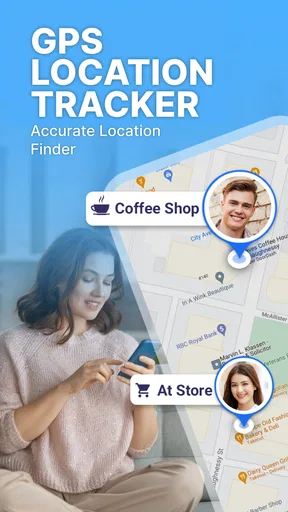
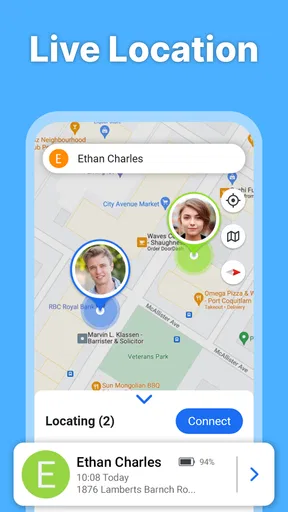
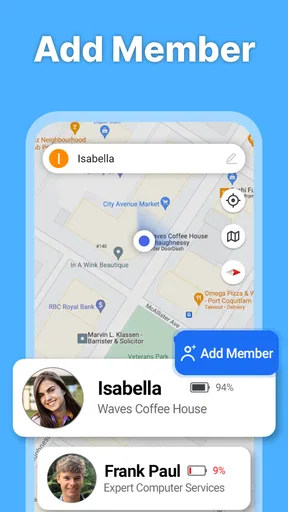
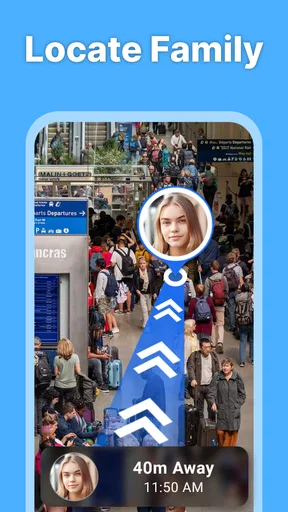
Our Review of Family Locator - Phone Tracker
 Analysis by Appyee
I think a family location app is most useful when it answers a practical question without turning into a reason to monitor everyone all day. Family Locator - Phone Tracker is built around that balance: it gives relatives a shared way to check where one another are, while leaving the decision to participate with each person. I’d consider it for a household that wants simpler coordination, not for someone expecting a full parental-control system or a substitute for direct conversation.
What to decide before everyone installs it
Before choosing any family location sharing app, I’d ask what problem we are trying to solve. If the usual issue is a string of “Are you there yet?” messages, seeing a family member’s position on a map can be convenient. If the real concern is that someone may need help, an alert option may matter more. And if everyone mainly wants to coordinate plans, a group chat could be enough without sharing location at all.
That distinction matters because location sharing works best when the whole circle understands what it is for. I’d agree on a simple expectation in advance: check the map when it helps with a pickup or arrival, rather than treating it as a live report of someone’s movements. That small conversation can prevent the app from feeling intrusive, especially for teenagers and adults who value privacy.
Where Family Locator is most useful
The app is in the travel and local category, and its focus is easy to understand: family members use a map to find one another. Galaxy studio apps has made a free app that has an average rating of 4.4 from around 21,000 ratings, with more than a million installs. It is rated for Everyone and first became available on August 10, 2020. Those figures suggest it has reached a broad audience, but they don’t tell me whether it suits every family’s habits; that depends more on how openly people agree to use it.
A realistic example is a parent leaving work to collect a child while another relative is already on the way. Rather than calling several times, the parent can check the map and use the shared chat for a quick change of plan. A location view is particularly helpful when a pickup point is busy or a family member is moving between familiar places. It can reduce coordination messages, though it cannot replace confirming details when plans are unclear.
The strongest fit, in my view, is a family that wants occasional reassurance and practical coordination without making everyone learn a complicated system. It may also suit relatives who live apart but regularly arrange visits or pickups. The key is mutual participation: each person needs the app installed and needs to join the circle, so it is not a tool one family member can use to locate people who have not agreed to take part.
Keeping Tabs Without the Hassle
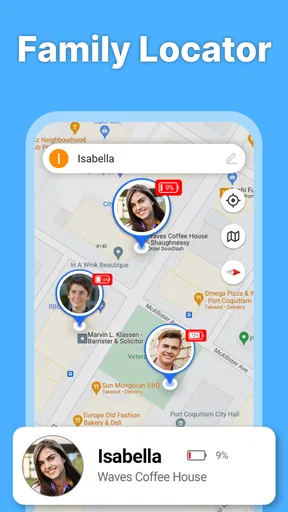
So, what’s the deal with Family Locator - Phone Tracker? Well, this app is all about peace of mind. It allows you to keep track of your family members in real-time without the constant back and forth of "Where are you?" texts. Just pull up the app, and voila, you know where everyone is. It's like magic, but without the wand.
Setting It Up
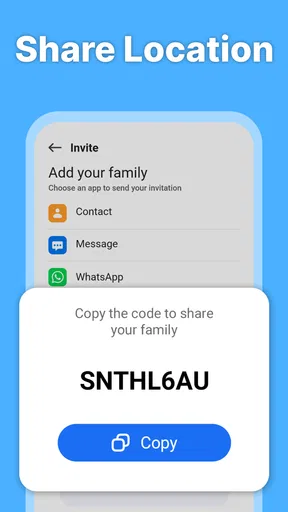
Getting started is a breeze. Once you download the app, you need to create a circle and invite your family members to join. Everyone needs the app installed, of course, but after that, you’re golden. I found the interface pretty intuitive, so even if you’re not the most tech-savvy person, you’ll be navigating like a pro in no time.
My practical tip is to set up the circle together rather than sending an invitation without context. Explain who will be in it and what you hope to use it for, then let each person make their own choice. That makes the setup feel like a shared household decision instead of a surprise tracking request. It also gives everyone a chance to check that they can find the map and understand how to contact the group before a rushed school pickup or family outing.
Because the circle depends on each person having the app, it is worth agreeing on a backup plan for anyone who has not joined or whose phone is unavailable. A normal call or message remains useful when someone is driving, has a flat battery, or simply does not want to share their location at a particular moment. I would treat the map as a convenience, not as proof that a person has seen a message or is able to respond.
The Features You Didn't Know You Needed
Now, let’s talk features. First off, real-time location sharing is a game-changer. Whether your kids are at school, or your partner is stuck in traffic, you can see their exact location. Plus, there’s a handy feature that lets you set up geofenced zones. Imagine getting a notification when your kids arrive home from school. How cool is that?
Geofenced zones are most useful when they answer a repeated, specific question, such as whether someone has reached home or another familiar destination. I would keep the zones focused rather than trying to represent every place a relative might visit. A small number of meaningful arrival points is easier to interpret and less likely to make notifications feel like noise. If a family’s routine changes, it is also sensible to revisit whether those zones still serve a purpose.
There is a trade-off in relying on a map: a displayed position is a helpful snapshot, but it should not be treated as a guarantee of someone’s immediate situation. If an arrival matters, a direct message can confirm it. For urgent safety concerns, use the app’s alert option as intended, but don’t assume a location app can replace emergency services or a phone call.
The app also includes a panic button. If someone in your circle feels unsafe, they can press it to send an alert to everyone. I tested it out, and it’s surprisingly reassuring to know that help is just a tap away.
For this feature to be useful, every circle member should know what an alert means and how they are expected to respond. I’d discuss that before anyone needs it: who is likely to see the notification, who can call the person, and what to do if the alert arrives by mistake. The button can make it easier to get a message to the group, but it cannot ensure that someone is watching their phone at that moment, so a direct call or local emergency help may still be the right next step.
Battery Life Concerns
One thing I was worried about was battery drain. Tracking apps are notorious for guzzling battery life, but I was pleasantly surprised here. The app runs pretty efficiently in the background, so it didn't leave me scrambling for a charger by midday.
Battery experience can vary with a phone’s settings and everyday use, so I would keep an eye on it during the first few days rather than assume every device will behave the same way. If someone notices a change, checking the phone’s own battery-use screen is a sensible first step. It can help distinguish the app’s contribution from other apps or a day of heavy navigation and screen use. Families can also agree that location sharing is most valuable during the parts of the day when coordination matters, instead of expecting everyone to keep it active without considering their preferences.
Privacy: The Elephant in the Room
Okay, so let’s address the big question: privacy. I know some of you might be thinking this sounds a bit too Big Brother. The great thing is, location sharing is totally customizable. You can turn it off whenever you want, and you choose who sees your location. It’s all about control and comfort.
In practice, I’d make privacy part of the setup conversation, not something to sort out after a disagreement. A parent may want reassurance about a younger child’s journey, while an older teenager may want clearer boundaries around when sharing is expected. Adults in the same circle deserve the same chance to decide whether the arrangement works for them. If someone wants to pause sharing, that should lead to a conversation about the plan rather than an assumption that something is wrong.
That is also why this app is not the right choice for covert monitoring. Its value depends on people joining the circle and understanding the arrangement. If one person wants a location record without the other person’s knowledge or consent, I would not recommend using a family locator for that purpose. For households that are uncomfortable with continuous location sharing, a group chat or a simple “I’ve arrived” message may be a better fit.
How It Compares with Other Ways to Coordinate
Compared with ordinary calls and texts, a shared map can reduce repeated check-ins when family members are travelling or meeting at different times. A chat, by contrast, is clearer for details like a changed entrance or a delayed pickup, because the people involved can explain what has changed. I see the two approaches as complementary: the map helps answer “where,” while a message handles “what now?”
Compared with a phone’s built-in location-sharing tools, this app’s appeal is its family-circle approach and the combination of map sharing with features such as zones and an alert button. Built-in tools may be more convenient for households already using them, so switching makes sense only if this app’s particular setup better matches how your family coordinates. I would not move everyone just for the sake of adding another app if the current arrangement is already clear and reliable.
Dedicated parental-control products are a different category. Families seeking a broad package of device rules or supervision should look at tools designed for that job rather than assume a location-focused app covers it. Likewise, someone travelling alone or managing appointments may need a personal safety or navigation tool rather than a family circle. Choosing by the actual need avoids paying attention to features that do not solve the problem at hand.
Cost, Compatibility, and the Effort of Switching
The app is free to download, with in-app purchases listed from $0.99 to $99.99 per item. I would start with the free option and only consider a purchase if its purpose and price are clear in the app before confirming it. A family should not assume every useful function is included at no cost, and it is worth checking purchase details on the device before committing. The current version is 3.0.2 and it requires Android 5.0 or later, so an older Android phone below that minimum is not suitable.
Switching is less about moving data than getting everyone to adopt the same routine. Each relative has to install the app, join the circle, and feel comfortable with the sharing arrangement. Before replacing another method, I’d try it for a few ordinary coordination moments and see whether the map, zones, and group alert are genuinely useful. If some relatives prefer not to join, keep the existing call or message plan for them rather than treating participation as a requirement.
People often ask whether the app works if only one family member installs it. The circle setup makes clear that everyone who is to be located needs to participate with the app, so it is not a one-sided lookup tool. Another reasonable question is whether it is only for parents and children: the family-circle idea can also help adult relatives coordinate, as long as everyone agrees to share. And if a person wants to stop sharing, the app’s stated controls allow location sharing to be turned off; the family should decide together what that means for their everyday plan.
Why It Stands Out
There are loads of tracking apps out there, so why choose this one? For me, it’s all about reliability and ease of use. I’ve tried a few other apps that were either too complicated or just didn’t work half the time. With Family Locator - Phone Tracker, I didn’t have those issues. It’s straightforward and it works, plain and simple.
Plus, it’s not just about tracking. The app fosters communication within families. You can message each other within the app, which I found super handy for quick updates.
Final Thoughts
In a world where staying connected is more important than ever, Family Locator - Phone Tracker offers a solution that’s both practical and reassuring. Whether you have teenagers who are just starting to spread their wings, or you simply like knowing your loved ones are safe, this app is worth considering. Give it a shot, and you might just find it’s like having a little safety net in your pocket.
My recommendation is to try it when your family has a concrete coordination need, such as shared pickups or checking that someone reached a familiar destination, and to agree on privacy boundaries first. It is a sensible option for relatives who want a common map and a quick way to reach one another, but it is not essential for families already happy with calls, texts, or built-in sharing. If nobody wants location sharing, skip it; if everyone is comfortable with the arrangement, this free starting point is easy to consider, while purchases remain optional and should be judged on their own terms.
Verdict
Strengths of Family Locator - Phone Tracker
- Real-time location tracking for family safety.
- Easy setup and user-friendly interface.
- Battery-efficient location updates.
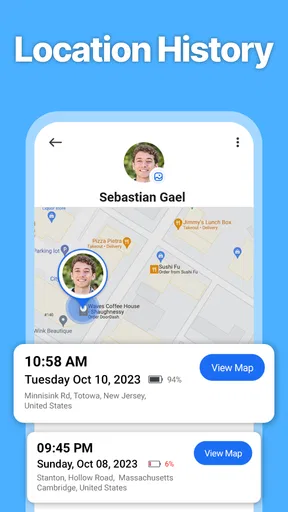
- Supports location history viewing.
- Customizable alerts for specific zones.
Limitations of Family Locator - Phone Tracker
- Requires constant internet connection.
- Limited features in free version.
- Potential privacy concerns over data.
- In-app ads can be distracting.
- Occasional location inaccuracies.
Other Releases by Galaxy studio apps
View All
GPS Photo: With Location & Map
Travel & Local4.2

ArtFonts: Stylish Text
Personalization4.6

Word Office: Docs Reader
Productivity4.8

Credit Card : Wallet & NFC
Finance4.6
Similar Picks in This Category
View All
Google Maps
Google LLC3.4

Google Maps Go
Google LLC4.1

Booking.com: Hotels & Travel
Booking.com Hotels & Vacation Rentals4.8

Google Earth
Google LLC3.8

Skyscanner Flights Hotels Cars
Skyscanner Ltd4.8

trivago: Compare hotel prices
trivago N.V.4.4
Frequently Asked Questions
How does Family Locator - Phone Tracker ensure the privacy of my location data?
Family Locator - Phone Tracker uses end-to-end encryption to protect your location data. Only the people you choose to share your location with can see it. The app does not store your data on its servers, ensuring that your information remains private and secure at all times.
Can I use Family Locator - Phone Tracker to track someone without their consent?
No, Family Locator - Phone Tracker is designed to promote safety and trust among family members. To use the app, all parties must consent and agree to share their location. Unauthorized tracking is against the app's policy and can lead to account suspension.
What features does Family Locator - Phone Tracker offer to help keep my family safe?
The app provides real-time location sharing, geofencing alerts, and SOS emergency features. You can set up safe zones, receive notifications when family members arrive or leave these zones, and quickly send alerts if someone is in danger, ensuring peace of mind for all users.
Does Family Locator - Phone Tracker drain my phone’s battery quickly?
Family Locator - Phone Tracker is optimized to use minimal battery power by efficiently updating location data. However, like any app that uses GPS, there will be some impact on battery life. It's recommended to keep your device's settings updated and charge it regularly for optimal performance.
Is Family Locator - Phone Tracker compatible with both Android and iOS devices?
Yes, Family Locator - Phone Tracker is available on both Android and iOS platforms, allowing seamless cross-platform tracking. Family members using different devices can effortlessly connect and share their locations, making it versatile and convenient for all users.
